Understanding Patent Drawings: Types and Requirements

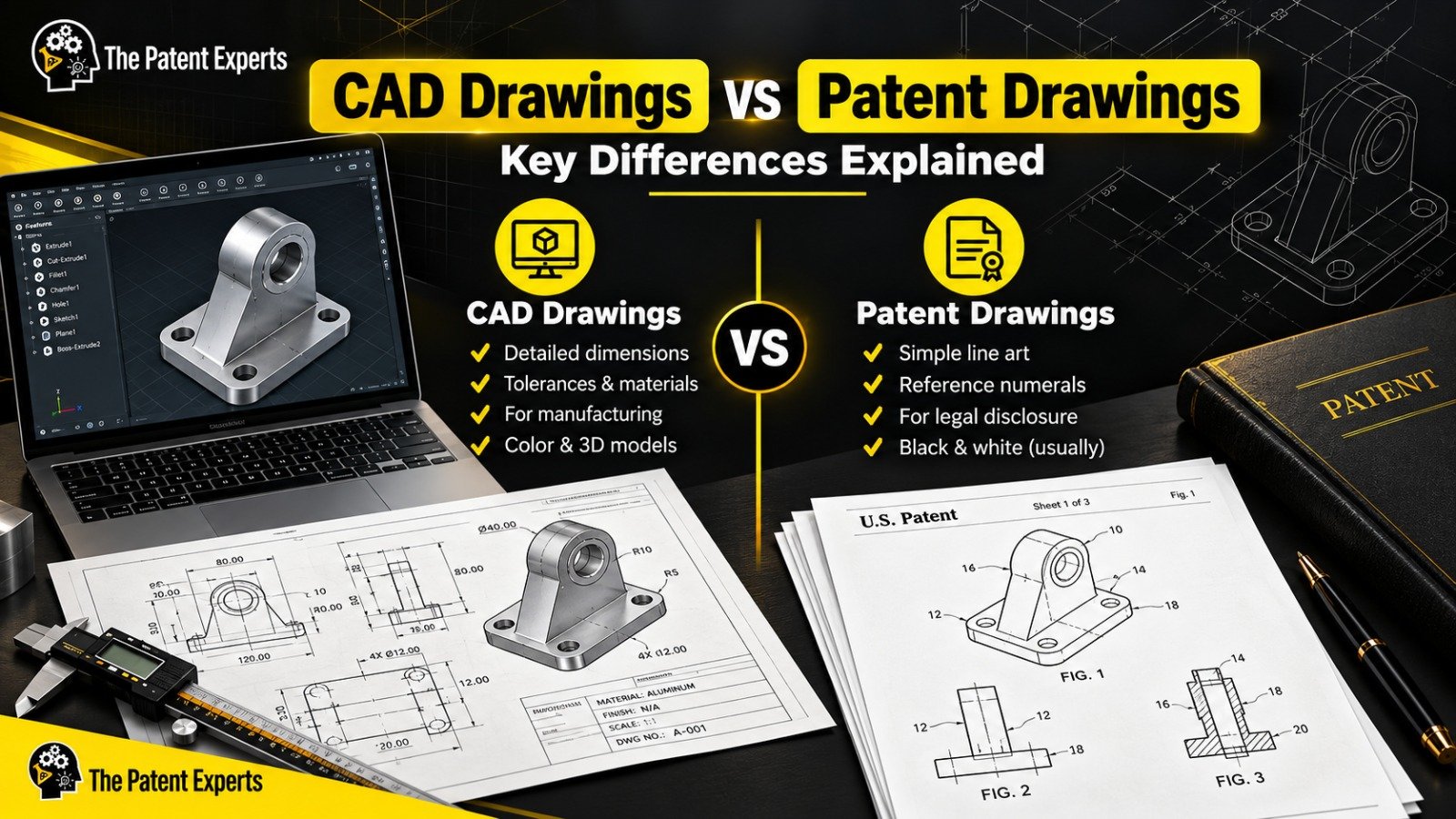
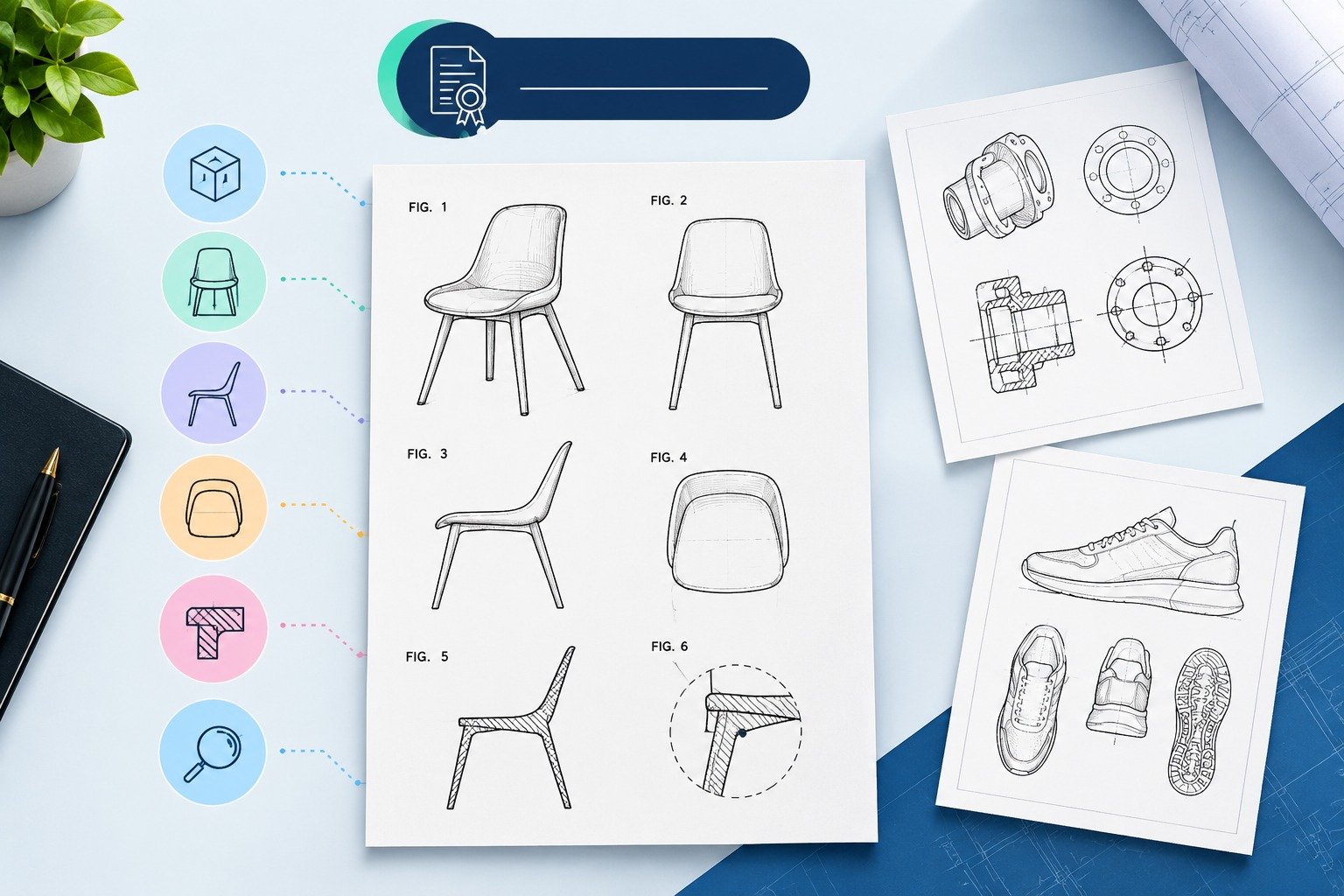
Patent drawings are technical drawings that describe an invention in patent filings. Depending on the patent application, they might illustrate the structure of the invention, its components, how it functions, its ornamental design or relation of various parts.
Drawings for U.S. applications need to comply with the relevant USPTO requirements relating to size of sheets, margins, reference characters, figure numbering, lines and views. This article describes the various kinds of patent drawings and their specifications, common errors and sample drawings.
| Question | Quick Answer |
| What are patent drawings? | Technical illustrations used to visually disclose an invention |
| Main types | Utility, design, sectional, exploded, perspective, flowchart and other technical figures |
| Who sets US requirements? | USPTO |
| Main US regulation | 37 CFR § 1.84 |
| Can drawings be in color? | Generally black-and-white; color is permitted only under applicable conditions |
| Are drawings always required? | Depends on the application and whether drawings are necessary to understand the subject matter |
Read the entire blog on 37 CFR § 1.84 guide
Patent drawings are the technical illustration of the invention that showcase how an invention works, what are its working elements, and the design and structure of the product. A patent drawing is required to be filed while filing a patent application to the relevant patent offices around the world. Every patent office around the world has their respective set of rules, regulation and guidelines. While the specific requirement of these patent offices may slightly vary from country to country, there are some common standards that apply to all the patent drawings globally. These guidelines ensure that patent illustrations are clear, accurate, and consistent, making it easier for patent examiners and the public to understand the invention.
A well drafted and illustrated patent drawing can be a make-or-break factor in getting the patent protection from the patent officers.
These drawings can cover a wide range of subjects, from mechanical devices to chemical compositions, and are integral to both utility and design patent applications.
When it comes to patent drawings, there are different kinds of it. Each type of patent drawing has a different purpose to serve. While one type of patent drawings can be used to show the function and working elements of the invention the other kind of patent drawing can be used to show the design and ornamental feature of the invention.
Different types of Patent Drawings are used to depict different functions & elements of inventions.
Following are the types of Patent Drawings:
 Utility Patent Drawing Example |  Design Patent Drawing Example |
When submitting a patent drawing to the patent officer for approval, following requirements should be met:
It is important for any inventor or patent applicant to understand the nuances of patent drawings. With the right kind of knowledge and professional support, you can ensure that your patent drawings meet all the compliances which are set by major patent offices around the world including that of USPTO, EPO, JPO etc. Compliant, accurate drawings can reduce the risk of drawing-related objections and help examiners understand the disclosed invention clearly.
Patent Drawings are often rejected by the patent officers because of their non-compliance with the stringent rules and regulations set by the patent offices. When filing a patent application it is imperative that the drawings must adhere and comply with all the guidelines related technicality, precision and clarity to patent drawings submission.
Most frequent issues which often leads to rejection of the patent applications are:
In order to reduce your chances of rejection and to make sure that your drawings are PTO compliant, it is important to keep an eye on the following elements:
Aspect | Details |
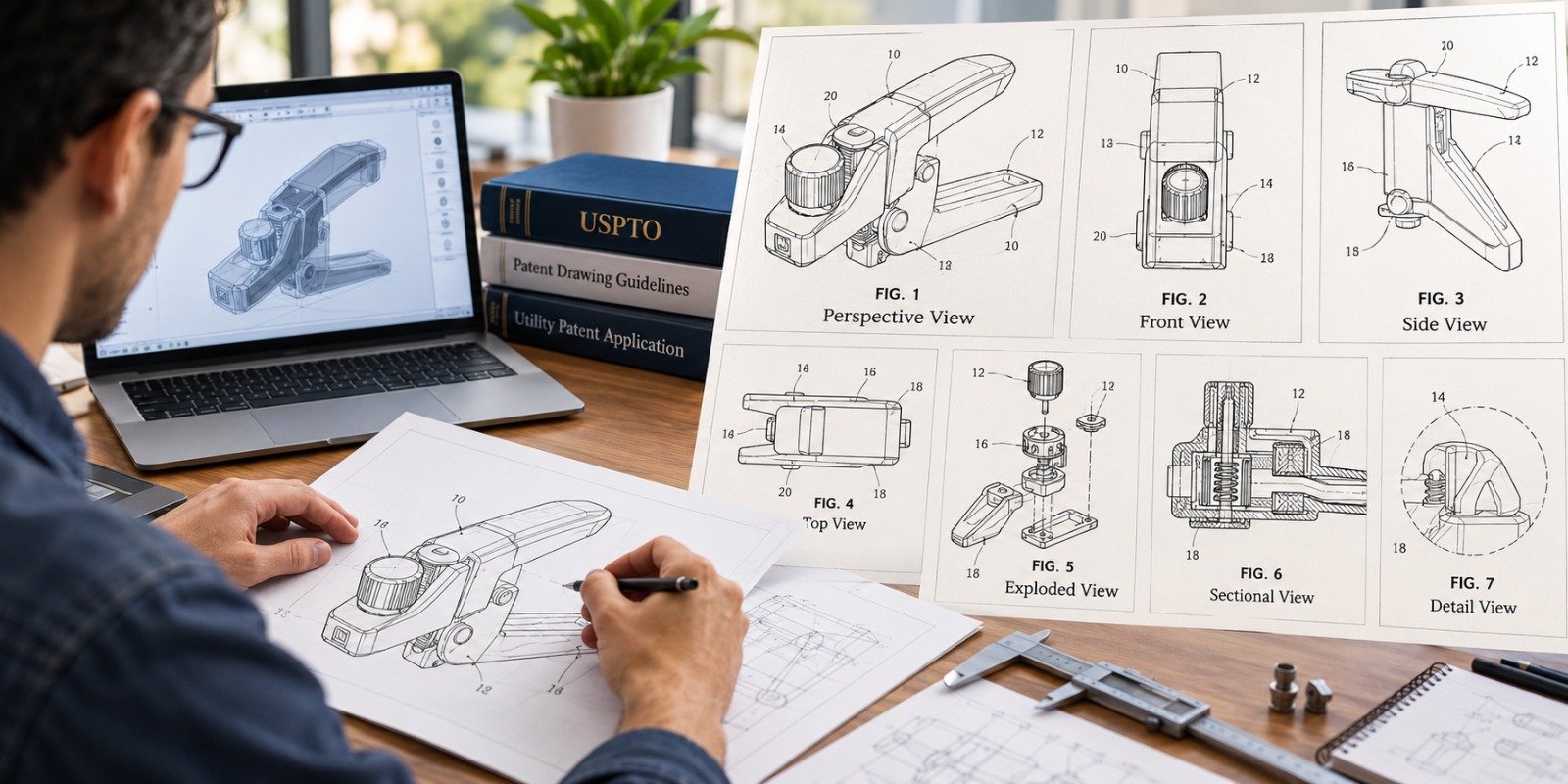
| Required Views | Include multiple perspectives (e.g., front, back, side, top, bottom), with exploded or sectional views as needed for complex designs. |
| Line Work Precision | Ensure crisp, uniform lines with no breaks. Use solid lines for claimed parts and dashed lines for non-claimed elements shown for context. |
| Shading and Surface Treatment | Apply shading only for clarity of contours; use hatching for cross-sectional views. Use black and white only unless color is required. |
| Numbering and Labeling | Maintain consistent numbering across all drawings and match labels with the written description. Avoid excessive or overlapping labels. |
| File Format and Resolution | Use PTO-required formats (e.g., PDF or TIFF) with high resolution (300 DPI or higher). Ensure images are scalable without losing clarity. |
| Dimensions and Proportions | Accurately represent all components with correct proportions and scale to reflect the invention’s realistic appearance, especially in assemblies. |
| Non-Essential Elements | Remove decorative or background elements. Focus only on functional aspects to avoid examiner confusion. |
| Document Formatting | Follow PTO margin, border, and page numbering guidelines. Maintain consistent formatting to prevent examiner comments or delays. |
| Software Recommendations | Use professional software like AutoCAD, CorelDRAW, Adobe Illustrator, or SolidWorks for precision and compliance with required formats. |
| Professional Assistance | Consider a patent illustrator to ensure compliance with PTO standards, reducing rejection risk and ensuring a smooth application process. |
Patent drawings are technical drawings that serve the purpose of visually depicting the invention or the ornamental design described in the application. Patent drawings may contain information such as components, structure, relations, views, and many others which may be hard to describe in written language. In case of U.S. utility applications, patent drawings may be needed whenever deemed necessary.
Different types of patent drawings are as follows:
No, mostly, the patent offices require drawings in black and white format, only in special cases where a color drawing is necessary to understand the invention.
They improve the clarity of the invention, support the written part, remove ambiguities, and help patent examiner to understand the invention better and effectively. They also increase the probability of patent approval.
Some common causes are:
Yes, if your drawings fulfill all the requirement set by the patent office. But many inventors prefer professional patent drafting services as they increase the chance of approval.
AutoCAD, SolidWorks, Autodesk Inventor, Adobe Illustrator, CorelDRAW, etc. are the software commonly used by professionals to create patent drawings.
It will ensure your drawings comply with the USPTO, EPO, JPO, and other patent office requirements. It provides high-quality and accurate drawings representing your invention, reduces office action for patent drawings, increases the quality of the whole application.

At “The Patent Experts” our team specialises in turning complex concept and ideas into exact complaint patent drawings that meet the stringent guidelines of USPTO, EPO, WIPO among other major patent offices around the globe. With over 5+ years of experience, our team of skilled illustrators are efficient in producing high quality utility designs and trademark patent drawings. By combining cutting-edge technology with a deep understanding of global patent regulations, we ensure every drawing we create is ready for seamless submission and approval.
Quicks Links
Get in touch
Our phone number
Our email address
© 2026 The Patent Expert's All Rights Reserve
Made with ♥ by Website99